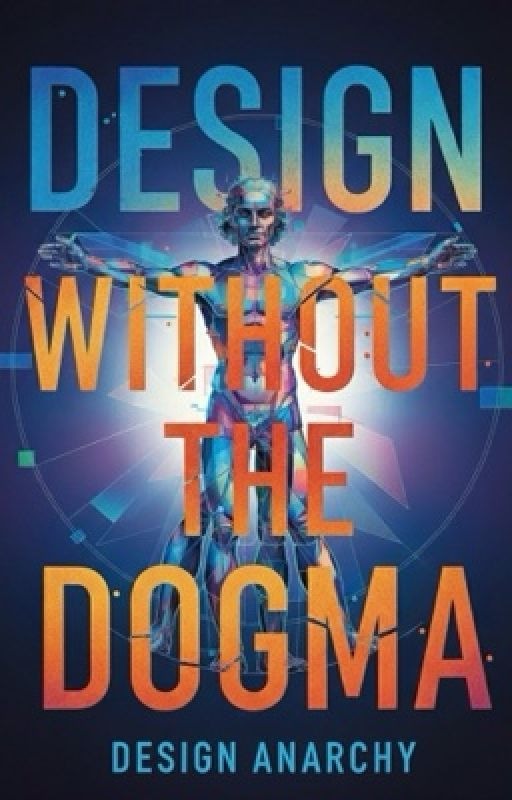
DESIGN WITHOUT THE DOGMA
Krishna Prasad
Ever stared at a blank canvas until your soul left your body? Had a client ask you to "make it pop" and died a little inside? Been told to "be more creative" by someone whose idea of art is a corporate flowchart?
Welcome to the resistance.
This isn't your professor's design textbook. This is the book for everyone who's tired of the rules, tired of the pretentious jargon, and tired of taking creative advice from people who think Comic Sans is a personality.
In The Design Heretic's Handbook, you'll discover: • How to break the "golden rules" without ending up with a design crime scene
• A simple system for choosing fonts that don't look like a Microsoft Word default
• What to do when clients give feedback that sounds like a rejected horoscope
• How to use AI without becoming its boring intern
• Why creative block is a lie; and how to kick its ass
No theory. No fluff. Just real, usable methods for creating killer work without losing your mind...or your sense of humor.
If you've ever wanted to design like a boss, laugh at the absurdity of it all, and maybe...just maybe, enjoy the process again... you've come to the right place.
Read if you're: A designer, artist, creative, or chaotic good soul who's done playing by someone else's rules.
Part 1: The Unshakeable Foundations
What you need to know before you break the rules. Forget everything you learned in design school. This part isn't about the "rules"...,it's about the principles that actually make design work. We're tearing down the sacred cows of typography, color theory, and layout to rebuild them into practical, usable tools. You'll learn why the 8-point grid is your new best friend, how to pick fonts without having an existential crisis, and why "good design" has nothing to do with being pretty. You'll Walk Away With: A rock-solid, no-BS foundation that separates your work from the amateurs.
Chapter 1: What Even Is "Good Design"
What Even Is "Good Design"? (And Why Everyone's Lying About It)
Let me tell you a secret nobody in this industry wants you to know: most of what they taught you about design is bullshit.
Good design isn't about making things pretty. It's about making things that actually work for real human beings.
Remember that time you pushed a door that clearly said "PULL"? That wasn't your fault-that was a design failure. Good design is like oxygen: you don't notice it when it's there, but you definitely notice when it's missing.
Here's where it gets painful. Picture this: you've created something beautiful. The colors are perfect, the typography is exquisite. You present it to your boss, heart swelling with pride... and they glance at a single screenshot for three seconds before saying: "The client's brand guidelines require the logo to be exactly 2.3 inches from the top. Move it."
They didn't see the emotional journey you crafted. They didn't notice how you solved three different usability problems. All they saw was a ruler where you saw a symphony.
This is the dirty little secret: we're often working for people who would rather measure creativity with a spreadsheet than actually understand what makes design work.
But here's the truth that will set you free: guidelines are suggestions, not commandments from God. The most memorable, effective designs in history weren't created by people who followed all the rules. They were created by people who knew which rules were worth breaking.
Chapter 2: The 8-Point Grid
The Only Math You'll Ever Need
Let's play a game. Look at any design you've ever struggled with. I'll bet you a coffee the problem is inconsistent spacing.
Enter the 8-point grid. This isn't just another design rule-it's your secret weapon for creating layouts that feel instinctively right.
Why 8? Let's Break the Math Curse:
· Your baseline is 8 pixels (or points) · Everything becomes a multiple: 8, 16, 24, 32, 40, 48... · Why not 5 or 10? Because 8 divides beautifully and scales perfectly across devices · Most screen dimensions are divisible by 8-it's the secret language of digital spaces
Your New Workflow:
1. Start messy, clean up with the grid: Throw elements on the canvas, then align using 8pt multiples 2. The "Squint Test": Step back and squint. Can you see the rhythm? 3. Break it intentionally: Once you've mastered the system, use 4px for micro-adjustments
This system isn't about restriction-it's about freedom. Freedom from endless nudging, from that gut feeling that something's wrong.
The 8-point grid is the difference between a layout that feels accidental and one that feels intentional. And intention is what separates professional work from amateur experiments.
Chapter 3: Typography
Typography ; How to Pick Fonts Without Crying
Typography is like online dating. You're swiping through thousands of options, everyone looks good in their preview, but when you commit, it's a disaster. Here's how to find "the one" without the heartbreak.
The Two-Font Tango:
· Your Headline Font: The diva. Choose something with personality · Your Body Font: The reliable best friend. Should be so readable people forget they're reading
The Secret They Don't Tell You About Pairing: Stop worrying about serif vs. sans-serif. Focus on contrast. Pair a tall, condensed font with a short, wide one. If they look like they could be siblings, choose different parents.
Readability Rules (That Aren't Boring):
· The Goldilocks Line Length: 45-75 characters. Any longer and your reader gets lost · Line Height That Breathes: 1.4 to 1.6 times your font size · The Three-Typeface Maximum: You're designing, not creating a font museum
Pro Move: Create a Type Scale Establish a hierarchy: 48px for heroes, 32px for headlines, 24px for subheads, 16px for body, 12px for captions. Stick to it religiously.
Remember: Good typography is like a good butler-it serves without drawing attention to itself.
Chapter 4: Color Theory
For People Who Aren't Psychics
Color theory professors would have you believe you need to understand the emotional resonance of cerulean blue versus cobalt. You don't. You need to know how to steal like an artist.
The Five-Second Palette Generator:
1. Find an image that makes you feel something 2. Use the color picker in your design software 3. Extract 3-5 colors that speak to you 4. Congratulations, you now have a palette with built-in emotional resonance
The 60-30-10 Rule That Actually Works:
· 60% Dominant Color: Your stage. Backgrounds, large surfaces · 30% Secondary Color: Your supporting cast. Sidebars, secondary elements · 10% Accent Color: Your spotlight. Buttons, calls-to-action
Color Psychology Made Practical:
· Blue doesn't mean "trust"-it means "I'm not trying to hurt your eyes" · Red doesn't mean "passion"-it means "look at me right now" · Yellow doesn't mean "happiness"-it means "I'm important but use me sparingly"
Accessibility Isn't Optional: Check your contrast ratios. If you can't read white text on that beautiful pastel background, neither can anyone else.
The goal isn't to become a color theorist-it's to develop color confidence.
Chapter 5: The Golden Ratio is a Ghost, Hierarchy is King
The Golden Ratio is the design world's Bigfoot-everyone talks about it, nobody's actually seen it in the wild. Meanwhile, hierarchy is the oxygen your design breathes.
The Five Tools of Hierarchy:
1. Size: Bigger = more important 2. Weight: Bold demands attention; light whispers 3. Color: High contrast pops forward; low contrast recedes 4. Position: Top-left gets seen first 5. Spacing: Isolation creates importance
The "Five-Second Test": Show your design to someone for five seconds, then take it away. What do they remember? That's your hierarchy working (or failing).
Designing for the Lazy Eye: People don't read-they scan. Your hierarchy should create a visual path that even the laziest scanner can follow.
When Everything is Important, Nothing Is: You can't highlight every sentence with a yellow marker. Choose your battles. What's the ONE thing you want people to see? Make that undeniable.
Forget chasing mythical design creatures. Hierarchy is your workhorse. Master it, and you'll never need the Golden Ratio again.
Part 2: The Pragmatic Workflow
From pixels to print, where your ideas meet the real world. This is the "how-to" they never give you. How do you choose between digital and print? What's the real difference between agency, in-house, and freelance hell? We're diving into the nitty-gritty of color modes, paper stocks, and offset presses. You'll learn how to speak printer, manage client expectations, and ensure your digital dreams don't become a physical nightmare. You'll Walk Away With: A seamless workflow that turns chaotic ideas into polished, professional results, no matter the medium.
Chapter 6: Mediums - Choosing Your Battlefield
Digital Dreams vs. Physical Reality
Design isn't one thing - it's a thousand different crafts pretending to be the same job. The medium is your first and most important decision.
Digital Realm - The Disappearing Act:
· UI/UX: Where you design behaviors, not just pictures · Web Design: Architecture for information - if users get lost, you're a bad architect · Social Media Graphics: Digital shouting in a crowded room · Motion Graphics: Where design learns to dance
Physical Realm - The Art of Touch:
· Print Design: Where your pixels get a soul · Packaging: 3D design that has to survive the supermarket shelf test · Environmental: Wayfinding, murals - designing experiences people walk through
The Hybrid Beasts:
· Branding: Must live equally well on a business card and a mobile app · Publication: The art of making long-form content not look boring
Choose your battlefield wisely - each medium speaks a different language.
Chapter 7: The Great Divide
Agency vs. In-House vs. Freelance - Which Prison Do You Prefer?
Agency Life - The Creative Factory:
· You're a specialist in a room full of specialists · Fast pace, diverse clients, constant pressure to win awards · Reality: You'll design 50 logo versions and the client will pick the safest one
In-House - The Deep Dive:
· You become the expert on one brand · Slower pace, deeper impact, you actually see your work grow · Reality: Getting approval from 17 stakeholders for a color change
Freelance - The Solo Symphony:
· You're the creative director, accountant, and janitor · Total freedom, total responsibility · Reality: 40% designing, 60% chasing payments and explaining why you can't work for "exposure"
There's no perfect choice - only the choice that fits your particular brand of crazy.
Chapter 8: The Toolbox - Beyond the Software
Your Digital Weapons and Physical Arsenal
Digital Weapons of Choice:
· Figma/Sketch: For when everything needs to be collaborative · Adobe Suite: The old guard that still does things nothing else can · Procreate: For when you need to actually draw, not push pixels
Physical Arsenal:
· Pantone Swatches: The physical bible of color · Paper Samples: Because "matte finish" means twenty different things · Cutting Mats/X-Acto: For making things real with your hands
Extra Fact: The Pantone Story
· Started in the 1950s as a commercial printing company · Created the first color matching system in 1963 · Each color has a unique number and recipe · The Color of the Year influences global design trends
Your tools don't make you a designer, but knowing which tool to use when separates professionals from amateurs.
Chapter 9: Color Modes
The Digital vs. Print Civil War
RGB - Light-Based Magic:
· For screens only - additive color (start with black, add light) · When it lies: That neon green that looks amazing on your monitor but awful on your client's phone
CMYK - The Ink Reality:
· For print only - subtractive color (start with white paper, subtract color) · The heartbreak: Your vibrant RGB blue turning into muddy purple in print
Spot Colors - The VIP Treatment:
· Pantone colors - consistent, beautiful, expensive · Pro move: Use spot color for that perfect brand color, CMYK for everything else
The Conversion Nightmare:
· Always design in the final color mode from the start · RGB to CMYK conversion will break your heart · When in doubt, ask your printer early
Getting color wrong costs money, time, and client trust. Get it right the first time.
Chapter 10: Materials - The Paper Trail
Because Your Design Doesn't Live in a Vacuum
Paper Stocks 101:
· Coated vs. Uncoated: The satin sheet vs. cotton t-shirt of paper · Weight Matters: 80lb text feels substantial; 100lb cover demands respect · Finishes: Matte, gloss, satin - each tells a different brand story
Print Techniques That Make Clients Say "Wow":
· Foil Stamping: Metallic shiny things that make everything expensive · Embossing/Debossing: The 3D texture you have to touch · Die Cutting: When regular shapes are too boring · UV Spot: Glossy coating - the subtle cousin of foil stamping
Sustainability Notes:
· Paper can be recycled 5-7 times before fibers break down · Digital design has a carbon footprint too (servers, device manufacturing) · The most sustainable design is the one that lasts
Your paper choice can make a $10 business card feel like $100 or vice versa.